When the Witness Is the Phone: A Patrol Officer's Guide to Digital Evidence at the Scene
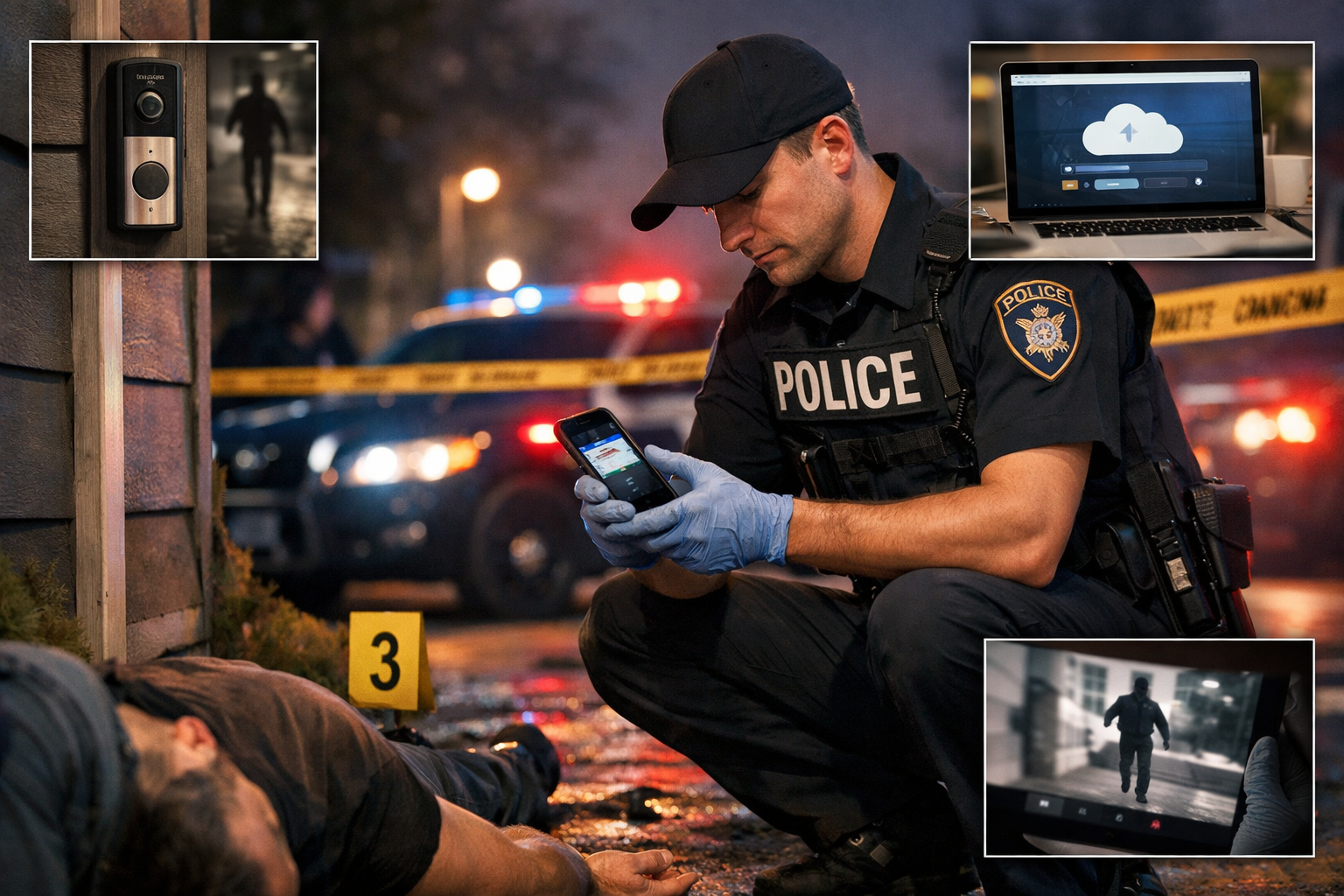
The witness who saw everything is standing right there. So is the one who didn't say a word — the phone in the victim's pocket, the doorbell camera across the street, the cloud account that synced the moment before the suspect wiped the device. Digital evidence doesn't forget. It doesn't recant. It doesn't fail to show up to court. But it disappears fast, it degrades in ways that aren't always visible, and the window to preserve it correctly is often measured in hours. This guide is for patrol officers at the scene — before the detective arrives, before the digital forensics unit gets the call, before the evidence has been properly secured or permanently lost.
Why Digital Evidence Is Now a First Responder Issue
Digital forensics used to be a specialist problem. A detective would collect the phone, a lab would examine it weeks later, and the patrol officer's job was to bag it and tag it. That model is increasingly inadequate.
Cloud synchronization means evidence that exists on a device at the time of an incident may be deleted remotely, overwritten automatically, or expire from a server within hours. Social media platforms retain certain data for as little as 30 days before it's gone permanently. Encrypted messaging apps with disappearing message settings can eliminate content within seconds of it being read. Location data that would place a suspect at a scene may be stored locally on a device or in a cloud account — and accessing it through legal process takes time the evidence doesn't have.
The practical result is that the decisions a patrol officer makes in the first hour at a scene increasingly determine whether digital evidence exists at trial. This is not an exaggeration. It is a documented feature of how digital evidence behaves, and it shifts meaningful responsibility to the first officer on scene.
Understanding What You're Actually Looking For
Digital evidence at a scene isn't limited to smartphones. A working understanding of what can hold evidentiary value changes what officers look at and what they secure.
Devices
Smartphones are the obvious starting point, but the category is broader: tablets, laptops, desktop computers, smart watches and fitness trackers (which may contain GPS data, heart rate readings timed to an incident, or text messages), wireless earbuds with paired device data, digital cameras, and dash cameras in vehicles. Gaming consoles with network connectivity can hold communications and location data. Smart home devices — thermostats, locks, doorbell cameras, voice assistants — log activity and may have captured audio or video relevant to an incident. All of these are potential evidence containers and all of them have preservation considerations.
Accounts, Not Just Devices
One of the most significant shifts in digital evidence is the move from device-centric to account-centric storage. A suspect's deleted texts may be gone from the phone but retained in a carrier account. Photos may have been deleted locally but remain in a cloud backup. Location history may not be on the device at all — it may exist only in a Google or Apple account linked to that device. Officers who think only about physical devices are working with an incomplete picture of where the evidence actually lives.
Metadata
The content of a photo or message is evidence. The metadata attached to it is often more valuable. Metadata encodes when a file was created, when it was modified, what device created it, and — in the case of photos — GPS coordinates precise enough to place a device within meters of a location at a specific time. This data is invisible to casual observation and highly vulnerable to alteration. It is also exactly what gets stripped when an image is screenshotted, shared through certain platforms, or improperly handled at the scene.
The First Officer's Priorities
Before anything is touched, examined, or moved, the first officer's digital evidence priorities break down into three sequential categories: observe, preserve, and document.
Observe
Note the visible state of every device before touching it. Is the screen on or off? What is displayed? Is it locked? Is it plugged in? Is there an active call, an open application, an unsent message visible on screen? These observations may be critical later and they cannot be recreated after the device is moved or powers down.
If a screen is active and displaying content relevant to the investigation — a message thread, a map, a photo — that content needs to be documented immediately. The device may auto-lock within seconds and that content may require a warrant or technical capability to access again. Photograph the screen with your body camera or department phone before it locks. Note in your documentation exactly what was visible and when.
Preserve
The core preservation principle for digital evidence is: minimize interaction, maximize documentation. Every tap on a screen, every button pressed, every time a device is moved or charged, creates a record that can be scrutinized later. Unintended interactions can alter timestamps, trigger automatic processes, or undermine chain of custody arguments. The goal is to get the device into a stable state that prevents further change while preserving everything it currently contains.
Power considerations are one of the most consequential early decisions. A powered-on device that locks may still be accessible through legal process or technical means. A powered-off device may trigger full-disk encryption on modern smartphones — making it significantly harder or impossible to access without the passcode even with legal authority. As a general principle, if a device is on, leave it on. If it is off, leave it off. Do not charge a device that has run out of battery without guidance from a digital forensics unit, as the act of charging can trigger state changes. There are exceptions to all of these principles depending on the device type and investigation — when in doubt, call for guidance before acting.
Airplane mode and Faraday isolation prevent a device from receiving remote wipe commands or communicating with networks that could trigger automatic deletion. Enabling airplane mode on an unlocked device is a recognized preservation step — but it must be documented, it alters device state, and it should only be done when there is reason to believe a remote wipe is possible and imminent. Purpose-built Faraday bags, which block all wireless signals without interacting with the device interface, are the preferred tool when available. Some departments carry them in patrol vehicles. If yours doesn't, that's a conversation worth having with your chain of command.
Document
Documentation at the digital evidence stage means more than noting "one black iPhone seized." It means recording the make, model, and visible condition of every device. It means noting the device's power state, screen state, and any visible content at the time of observation. It means recording who had custody of the device from the moment it was identified as potential evidence, and what — if anything — was done to it before it reached an evidence locker or forensics unit. Chain of custody for digital evidence is scrutinized at trial. The gap between "I found it and bagged it" and "here is the documented state of the device at every stage" is the gap between evidence that holds up and evidence that gets challenged.
Bystander and Victim Phones
Patrol officers frequently encounter situations where witnesses or victims have captured relevant footage — a bystander video of a use-of-force incident, a victim's text thread showing escalating threats before an assault, a photo that places a suspect at a location. Handling these situations correctly involves both legal and practical considerations.
You Cannot Seize a Phone to Prevent Recording
This is settled law and worth stating plainly. The First Amendment protects the right to record police activity in public spaces. Seizing a bystander's phone to stop them from recording, or to delete footage they've already captured, is a constitutional violation with significant legal consequences for the officer and the department. The legal framework around this is not ambiguous.
Requesting Voluntary Sharing
The fastest and often most effective way to obtain bystander footage is to ask for it. Most people will voluntarily share footage with law enforcement when asked professionally and given a clear explanation of why it matters. If a witness is willing to share footage, document their consent, note the method of transfer, and ensure the transfer preserves the original file rather than a compressed copy. AirDrop, direct USB transfer, or having the witness email the original file preserves more metadata than a screenshot or re-recorded copy. Explain this to the witness and ask them to transfer the original.
When Voluntary Sharing Isn't Available
If a witness declines to share footage voluntarily, the path forward is legal process — a preservation letter, a subpoena, or a warrant depending on the circumstances and jurisdiction. What matters at the scene is moving quickly. A preservation letter sent to a platform within hours of an incident can prevent automatic deletion that would otherwise occur before a warrant is obtained. Knowing your department's process for initiating that legal process from the field — who to call, what form to use, what information is needed — is the difference between evidence that survives and evidence that doesn't.
Social Media: The Scene You Can't See
An increasing volume of evidence in violent crime investigations exists not at the physical scene but in the social media activity surrounding it. Threats posted before an assault. Livestreams of incidents in progress. Location check-ins that contradict alibis. Posts made in the immediate aftermath that establish state of mind. None of this requires a digital forensics unit to begin documenting — it requires an officer who knows to look and acts before it disappears.
Document Before You Request Removal
Screenshots are imperfect evidence — they strip metadata and can be challenged as altered. But a screenshot with a timestamp, a visible URL, and a documented chain of custody is meaningfully better than nothing, and nothing is what you get after a platform removes content or a user deletes it. When relevant social media content is identified at or near the scene, document it visually before taking any other action.
Platform Retention Varies Dramatically
Facebook retains data for 90 days after deletion in response to legal process. Snapchat retains unopened snaps for 30 days and opened snaps for as little as 24 hours. TikTok, Instagram, Twitter/X, and other platforms each have their own retention policies, and those policies change. Knowing the rough retention window for the platforms most commonly used in your jurisdiction matters because it determines how urgently legal process needs to be initiated. For ephemeral platforms, urgency is measured in hours.
Preservation Letters
A preservation letter — also called a 90-day hold request — asks a platform to preserve data associated with a specific account before legal process requiring disclosure can be completed. It does not compel disclosure. It simply prevents deletion while the proper legal process is pursued. Most major platforms honor preservation requests from law enforcement. The process for submitting them varies by platform and most have dedicated law enforcement portals. Knowing your department's process for initiating a preservation request from the field is worth learning before you need it.
Surveillance Footage: The Clock Is Already Running
Doorbell cameras, business security systems, traffic cameras, ATM cameras, and residential systems are among the most valuable and most time-sensitive sources of digital evidence at any scene. Most systems overwrite continuously on a loop. The retention window — the period before footage is overwritten — varies from as little as 24 hours on some residential systems to 30 days or more on commercial systems. You often don't know which you're dealing with until you ask.
Canvas the Scene for Camera Locations
At any crime scene, a systematic camera canvas should be part of the initial response. This means identifying not just obvious cameras but less obvious ones: Ring and Nest doorbells (often covering a wider angle than they appear to), business cameras angled toward the street, ATMs, parking lot systems, traffic enforcement cameras, and cameras on neighboring properties that may capture adjacent areas. The direction a camera faces doesn't always match the direction it captures — wide-angle lenses frequently record significantly more than the visible lens angle suggests.
Request Preservation Immediately
Once a camera owner is identified, request preservation immediately — before the footage overwrites. This doesn't require a warrant to ask. Most property owners will voluntarily preserve and provide footage when a police officer explains the relevance. Document the request, the owner's response, and any footage that is voluntarily provided. For footage that requires a warrant, note the retention window in your documentation so investigators know how much time they have before the footage is gone.
Don't Rely on the Owner to Export Correctly
A well-meaning business owner who exports footage to a USB drive may inadvertently alter timestamps, strip metadata, or provide an incompatible format. Wherever possible, request that footage be preserved in its original format on the original system, and have a forensics-trained investigator conduct the actual extraction. If that isn't possible and voluntary export is the only option, document the export process in detail and note that the original system has not been forensically imaged.
Common Mistakes at the Scene
Handling devices without gloves
Digital devices are also physical evidence. Fingerprints and DNA matter. Handling a phone without gloves before it has been examined for physical trace evidence compromises a layer of evidence that cannot be recovered.
Charging a dead device
The instinct to charge a phone that has run out of battery to see what's on it is understandable and frequently wrong. Charging can trigger automatic processes, alter system logs, and in some cases initiate encryption states. A dead device should go to forensics dead.
Allowing multiple people to handle a device
Every person who touches a device before it reaches forensic examination adds complexity to chain of custody arguments. Limit handling to the minimum necessary and document every instance.
Taking screenshots instead of preserving originals
Screenshots are better than nothing. They are significantly worse than original files with intact metadata. Where possible, pursue original file preservation rather than screenshots for any digital content that may be used as evidence.
Assuming deletion means gone
Deleted files are not always unrecoverable. Forensic examination of a device can frequently recover deleted content from unallocated storage space. The assumption that a wiped or factory-reset device contains no useful evidence is often wrong, and that assumption can lead officers to deprioritize devices that a forensics unit could productively examine.
Building the Habit Before the Scene
Digital evidence preservation isn't a skill that benefits from being learned reactively. The officers who handle it well are the ones who have thought through the framework before they need it — who know their department's process for initiating preservation requests, who know where the Faraday bags are kept, who have had the conversation with their digital forensics unit about what helps and what creates problems.
Most digital forensics units will make time for a shift briefing or a roll call conversation about what first responders can do to preserve their work. That relationship — between patrol and forensics — is one of the more underutilized resources in law enforcement, and it pays dividends every time a case goes to trial with its digital evidence intact.
The phone in the victim's pocket saw everything. Whether that testimony makes it to court is, increasingly, a first responder question.
Threat Ready LE is an independent publication built for law enforcement professionals who want to understand the research behind the job — not just the doctrine. We cover threat recognition, officer wellness, mental health, de-escalation, and the science of crisis response.
Frequently Asked Questions
Should a patrol officer turn off a phone found at a crime scene?
Generally, no — and this is one of the most consequential decisions an officer can make with a digital device. Modern smartphones encrypt their storage when powered off, which can make them significantly harder or impossible to access without the passcode even with legal authority. If a device is on, the standard guidance is to leave it on, place it in airplane mode or a Faraday bag to prevent remote wiping, and get it to a forensics unit as quickly as possible. If a device is already off, leave it off. The exception to both principles depends on device type, department policy, and the specific circumstances — when in doubt, call your digital forensics unit before acting.
What is a Faraday bag and should patrol officers carry one?
A Faraday bag is a purpose-built pouch lined with material that blocks all wireless signals — cellular, Wi-Fi, Bluetooth, and GPS. Placing a device inside one prevents it from receiving remote wipe commands, syncing with cloud accounts, or communicating with any network that could trigger automatic deletion or state changes. They are inexpensive, compact, and increasingly recognized as standard field equipment for departments that take digital evidence seriously. If your department doesn't carry them in patrol vehicles, that's a conversation worth bringing to your supervisor or evidence unit.
Can a suspect remotely wipe a phone after it's been seized?
Yes — and it happens. Find My iPhone, Google's Find My Device, and third-party remote wipe applications can all be triggered remotely as long as the device has a network connection. This is the primary reason airplane mode or Faraday isolation matters at the scene. A phone sitting in an evidence bag with an active cellular connection can receive a remote wipe command at any point before it's forensically imaged. The window between seizure and forensic examination is when this risk is highest.
What if a witness refuses to hand over their phone?
You cannot compel a witness to hand over their phone without legal process, and you cannot seize it to prevent them from recording. If a witness has footage that is relevant to an investigation and declines to share it voluntarily, the path forward is a subpoena or warrant depending on your jurisdiction and the circumstances. What matters at the scene is moving quickly on two fronts: document the witness's identity and contact information, and initiate a preservation request to prevent the footage from being deleted before legal process can compel its disclosure. Time is the variable you can't recover.
Is a screenshot good enough to preserve social media evidence?
It's better than nothing — but it's a last resort, not a best practice. Screenshots strip metadata, can be challenged as altered or fabricated, and don't capture the underlying data that forensic examination of an original file can access. If social media content is relevant to an investigation, the goal is preservation of the original through legal process — a preservation letter to the platform, followed by a warrant or subpoena for the underlying data. Screenshot the content visually to document that it existed at a specific time, but treat that as a bridge while proper preservation is pursued, not as the preservation itself.
How do you identify which cameras may have captured an incident?
Systematically. At any scene, a camera canvas means looking beyond the obvious — not just business security cameras mounted at eye level, but doorbell cameras on residential properties, ATMs, parking lot systems, traffic enforcement cameras, and cameras on neighboring buildings angled toward the street. Wide-angle lenses frequently capture significantly more than the visible direction of the camera suggests. A camera pointed at a building entrance may have captured the street behind it. Walk the perimeter of the scene with that in mind, note every camera location in your documentation, and initiate preservation requests before you leave — retention windows on some residential systems are as short as 24 hours.
What is a preservation letter and how does a patrol officer use one?
A preservation letter — sometimes called a 90-day hold request — asks a platform or service provider to preserve data associated with a specific account before legal process requiring disclosure can be completed. It doesn't compel the platform to hand anything over. It simply prevents automatic deletion while investigators pursue the appropriate warrant or subpoena. Most major platforms have law enforcement portals that accept preservation requests. The critical thing for patrol officers to know is their department's process for initiating one from the field — who submits it, what information is required, and how quickly it can be done. For ephemeral platforms like Snapchat, urgency is measured in hours, not days.
Does deleting content from a phone actually destroy the evidence?
Not necessarily, and this is worth understanding both operationally and when communicating with victims or witnesses. Deleted files on a smartphone are not immediately overwritten — they occupy what forensic examiners call unallocated space, and they can frequently be recovered through forensic examination until that space is written over by new data. A factory reset is more thorough but still not always complete. The practical takeaway for patrol officers is that a device a suspect claims to have wiped, or one that appears to have been reset, should not be deprioritized — a forensics unit may be able to recover substantially more than the device's current state suggests.
What information should an officer collect from a business owner providing surveillance footage?
More than just the footage itself. Document the owner's full name and contact information, the make and model of the recording system, the date and time range of the footage being preserved, and — critically — whether the system's internal clock is accurate. Many commercial security systems run on clocks that drift significantly from actual time, which means timestamps on footage may be off by minutes or hours. That discrepancy needs to be documented and disclosed, or it becomes a defense issue at trial. Also note whether footage was exported by the owner or preserved on the original system, and what format it was provided in.
When should a patrol officer call the digital forensics unit from the scene?
Earlier than feels necessary. If there is any uncertainty about how to handle a device — whether to power it down, whether to enable airplane mode, how to document its current state, whether a particular type of evidence is recoverable — the right call is to contact forensics before acting, not after. The decisions made in the first hour at a scene frequently determine what evidence survives. Most digital forensics units would significantly rather receive a call from a patrol officer asking for guidance than receive a device that has been handled in ways that compromise the examination. The call costs minutes. The alternative can cost a case.